Settings Guide
This page describes the settings available in the AGENTIC STAR marketplace edition admin console.
Accessing the Admin Console
After deployment completes, open the admin console URL in your browser and sign in using the administrator email and password you provided at purchase.
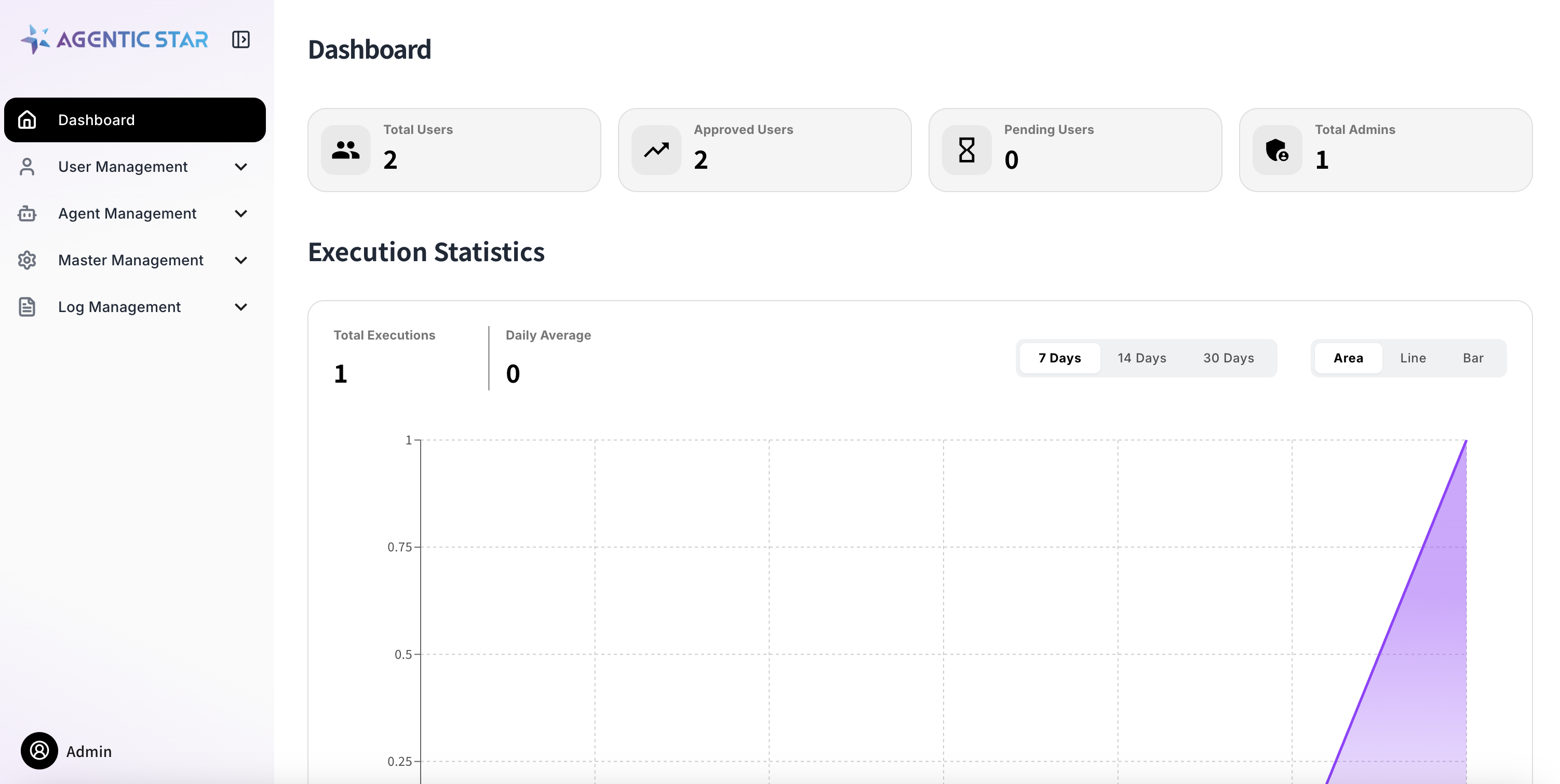
A self-signed certificate is shipped by default, so your browser will show a certificate warning. Allow the exception to proceed. To configure a proper SSL certificate, see the Domain Configuration Guide.
Menu Structure
The admin console is organized as follows:
| Category | Menu | Description |
|---|---|---|
| — | Dashboard | Overview of usage |
| User Management | Administrators | Manage admins who can access the admin console |
| Users | Manage end users | |
| Service Accounts | Manage service accounts for API use | |
| Agent Management | AI Persona | Manage agent response personas |
| MCP Servers | Manage MCP servers | |
| LLM Settings | Configure LLM providers and models | |
| Agent Settings | Register and manage custom agents | |
| Guardrail Settings | Content Safety and PII masking | |
| Blocked URLs | Manage URLs that agents are not allowed to access | |
| Master Data | Organizations | Manage organization information |
| Job Types | Manage the job-type master | |
| Announcements | Manage announcements for end users | |
| Email Provider Settings | Configure the email provider | |
| Log Management | Audit Logs | History of admin operations |
| LLM Audit Logs | History of LLM usage | |
| Reports | Review user reports | |
| Access Logs | Access history | |
| System Management | Notification Settings | Configure notification email sending |
| — | Version Management | Check the platform version and perform upgrades |
User Management
Administrators
Manage administrator accounts that can access the admin console. The initial administrator is auto-created at purchase time.
Users
Manage end users of AGENTIC STAR. You can add, edit, and disable users.
Service Accounts
Create and manage service accounts for API access. Creating a service account issues a client ID and client secret used for API authentication.
For how to use the API, see the Marketplace API Quickstart.
Agent Management
AI Persona
Register and manage response styles ("personas") for agents. By specifying personaKey on a chat invocation, you can switch the tone and voice of the agent's responses.
There are two kinds of personas:
| Kind | Description |
|---|---|
| Official | Personas shipped with the platform. They cannot be edited or deleted (and no additional locales can be added). |
| Custom | Personas created and managed by the tenant. You can register instructions in multiple locales for multilingual support. |
Main Settings
| Setting | Description |
|---|---|
| Persona Key | Persona identifier (1–64 characters, alphanumeric + hyphen + underscore) |
| Name | Display name of the persona |
| Description | Summary of the persona |
| Instruction | The persona / tone instruction passed to the agent (can be registered per locale) |
| Tags | Tags for classification |
| Enabled / Disabled | Toggle whether the persona is selectable |
LLM Settings
Configure the LLM provider and model used by agents.
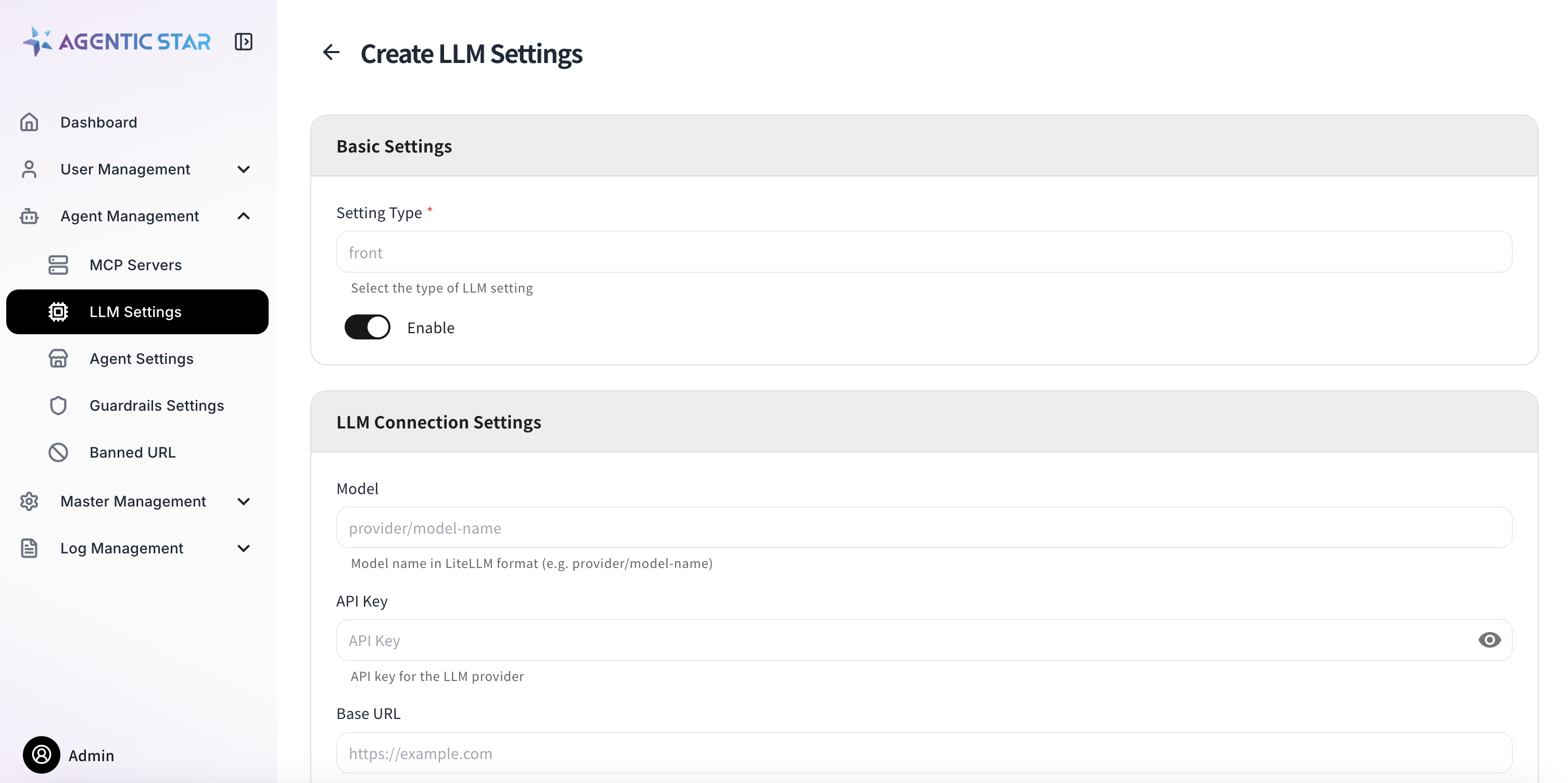
| Setting | Description |
|---|---|
| Agent Type | The agent type the setting applies to |
| Model | Model name (LiteLLM format: provider/model-name) |
| API Key | API key for the LLM provider |
| Base URL | Endpoint URL for the LLM provider |
| API Version | API version (YYYY-MM-DD format) |
| Additional Settings | Extra parameters in JSON format |
Sensitive values such as API keys are displayed as ******** after they are saved. If you do not change them, the existing values are retained.
Agent Settings
Register custom agents to make them available on the platform.
Basic Information
| Setting | Description |
|---|---|
| Agent ID | Agent identifier (lowercase alphanumeric and hyphens, up to 63 characters) |
| Display Name | Display name of the agent |
| Description | Description of the agent |
| Icon | Upload an icon image (PNG / JPEG, 512 KB or less) |
| Tags | Tags for classification (comma-separated) |
Docker Image
| Setting | Description |
|---|---|
| Registry | Container registry URL (e.g., myacr.azurecr.io) |
| Image Name | Image name (e.g., my-org/rag-agent) |
| Image Tag | Image tag (default: latest) |
| Image Pull Secret | Authentication secret for a private registry |
Resources
| Setting | Description |
|---|---|
| CPU Request / Limit | CPU allocation (e.g., 500m, 2000m) |
| Memory Request / Limit | Memory allocation (e.g., 512Mi, 4Gi) |
Storage
Enable this when persistent storage is required.
| Setting | Description |
|---|---|
| Storage Size | Capacity (e.g., 10Gi) |
| Mount Path | Mount path inside the container (absolute path) |
| Storage Class | Kubernetes storage class |
| Access Mode | Access mode |
Status
| Setting | Description |
|---|---|
| Enabled | Toggle the agent on or off |
Environment Variables
You can set custom environment variables. The following reserved variables are injected automatically by the platform and do not need to be configured manually (registering a variable with the same name results in an error).
Always injected
EXECUTION_IDCONVERSATION_IDUSER_IDAGENT_ID
Injected conditionally
USER_ORGANIZATION_IDUSER_ORGANIZATION_LABELUSER_JOB_ROLEUSER_JOB_LABELUSER_BIOUSER_LANGUAGE
Custom environment variables can be marked as secret (with masked display) and as required.
Additional Settings (JSON)
Specify agent-specific extra parameters in JSON format.
ACR Secret Management
When using a private Azure Container Registry, you can have an authentication secret created automatically from a username and password.
Guardrail Settings
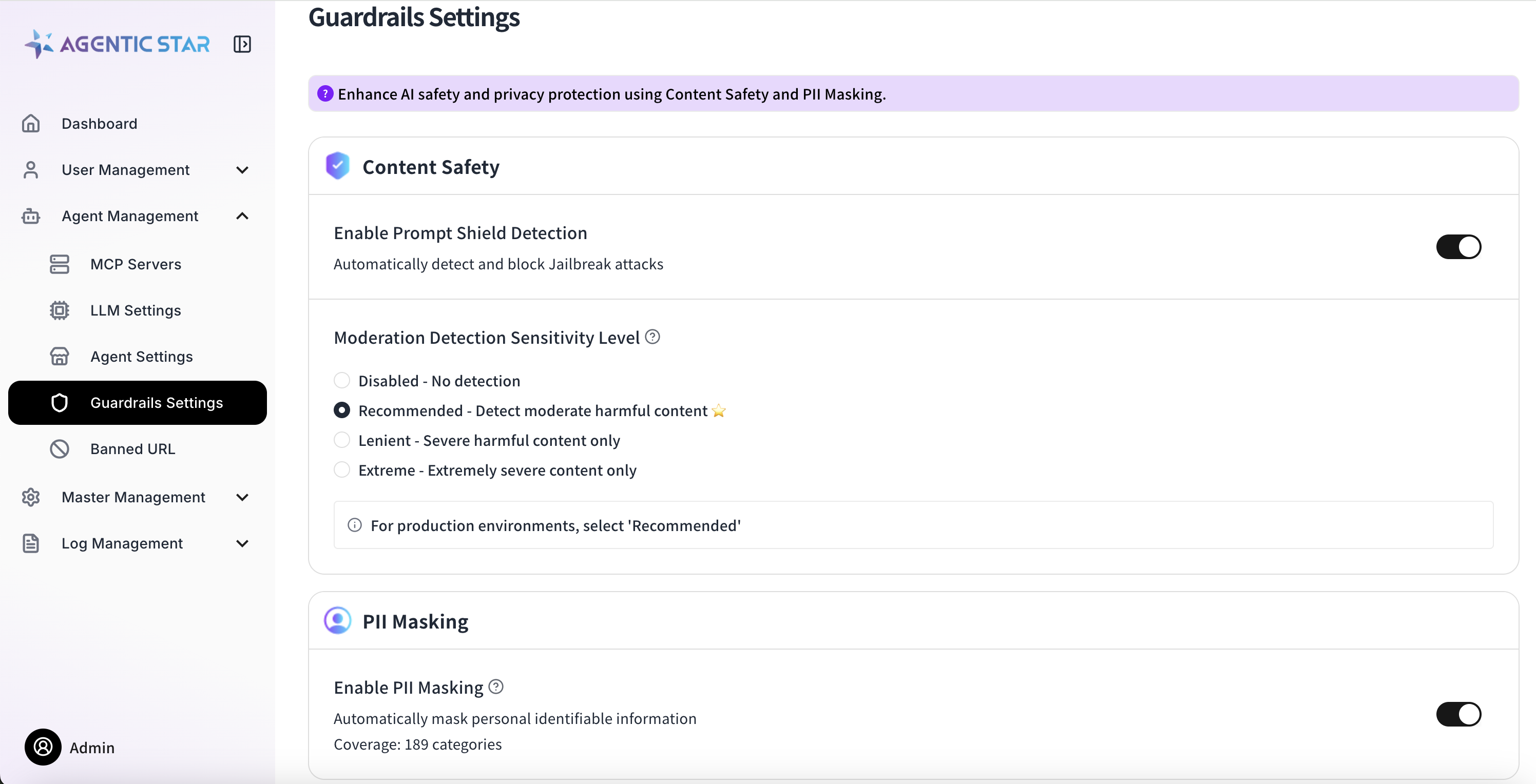
Configure content safety and personal information protection for AI outputs.
Content Safety
Prompt Shield Detection
Detects and blocks jailbreak attacks. Can be turned on or off.
Moderation Detection
Sets the detection level for harmful content.
| Level | Description |
|---|---|
| 0 | Disabled |
| 2 | Recommended (detect moderately harmful content) |
| 4 | Lenient (detect only severe content) |
| 6 | Minimum (detect only extremely severe content) |
Detection categories: violence, sexual content, hate speech, self-harm.
PII Masking
Automatically detects and masks personally identifiable information (PII). Up to 189 categories are supported (the count varies by cloud provider).
Examples of detection targets:
- Identifying info (phone numbers, email addresses, My Number, etc.)
- Financial info (credit card numbers, account numbers, etc.)
- Medical info (insurance numbers, medical records, etc.)
- Location info (addresses, GPS coordinates, etc.)
- Credentials (passwords, API keys, tokens, etc.)
Backend per Cloud Provider
| Provider | Backend | Supported Languages |
|---|---|---|
| Azure | Azure AI Language - PII Detection | Multilingual (including Japanese) |
| AWS | Bedrock Guardrails sensitiveInformationPolicy | Multilingual (including Japanese) |
| GCP | Cloud DLP | Multilingual (including Japanese) |
On AWS, we recommend handling ContentSafety (content moderation / prompt shield) and PII detection in a single Bedrock Guardrail. Both are evaluated with one apply_guardrail API call, so the only IAM permission required is bedrock:ApplyGuardrail.
Blocked URLs
Manage URLs that agents are forbidden to access.
Restriction Granularity
| Feature | Granularity | Description |
|---|---|---|
| Base feature (shipped by default) | Domain | Outbound traffic from the Pod is checked by ExtAuth Service (Envoy sidecar-based authorization). Because HTTPS hides the path inside the TLS tunnel, in practice this acts as a domain (+ port) level restriction. |
| Extension (optional implementation) | URL (path) | If the agent itself uses the SDK's ConfigAccess.get_banned_urls() and inspects URL strings inside its tools, path-level restriction becomes possible. |
Both features share the same "Blocked URLs" configuration (the banned_urls table), so registration in the admin console is unified. For how to implement the extension, see ConfigAccess.get_banned_urls() in the SDK Reference.
Master Data
Organizations
Manage organization information.
Job Types
Manage the job-type master.
Announcements
Create and manage announcements shown to end users. You can set a title and body (Markdown), priority, and enabled / disabled state.
Email Provider Settings
Configure the email provider used to send notification emails.
Basic Settings
Toggle the email feature on or off.
SMTP Settings
| Setting | Description | Notes |
|---|---|---|
| Host | SMTP server hostname | Required (e.g., smtp.example.com) |
| Port | SMTP server port | Required (1–65535, default: 587) |
| Encryption | Encryption for the connection | None / SSL / TLS (TLS recommended) |
| Authentication | Authentication method | None / LOGIN / PLAIN / CRAM-MD5 |
| Username | SMTP authentication username | Required |
| Password | SMTP authentication password | Required |
| From Address | Sender email address | Required |
Log Management
Audit Logs
Review the history of operations performed in the admin console — who changed what and when.
LLM Audit Logs
Review the history of LLM usage. Token consumption and request content can be traced.
Reports
Review user reports.
Access Logs
Review access history to the application.
System Management
Notification Settings
Configure whether notification emails are sent to end users. Task-completion mail, follow-up mail, and Weekly mail can be toggled individually.
Version Management
Check the platform's current version and upgrade to the latest available version. Versions must be upgraded one at a time, in order.